How to color a coloring book on Procreate, from PDF to print
You bought a PDF coloring book, you own an iPad, and you want to color without pencils, sharpeners or bleed-through. Then Procreate opens the file and drops thirty pages on top of each other.
Here is how to color a coloring book on Procreate from start to finish: importing a whole PDF, keeping each page clean, the layer setup that keeps color inside the lines, the brushes that feel like real pencils, and how to export or print the result. No JPG conversion and no screenshots needed.
How to color a coloring book on Procreate, step by step
To color a coloring book on Procreate, import the PDF from the Files app, keep one page per canvas, set the page layer to Reference, fill shapes on a new layer below with ColorDrop, shade on clipping-mask layers, then export as PNG or PDF. The line art stays untouched the whole time.
Import the PDF through Gallery → Import.
Duplicate the canvas and keep one page layer per copy.
Rename the page layer Lines and set it to Reference.
Add a Flats layer below and fill shapes with ColorDrop.
Shade and highlight on clipping-mask layers above the flats.
Export through Actions → Share as PNG or PDF.
What do you need to color digitally in Procreate?
You need an iPad that runs Procreate, the Procreate app, and a PDF coloring book. An Apple Pencil is strongly recommended because it gives you pressure and tilt, which make pencil and airbrush brushes behave like the real thing. A finger works for ColorDrop fills, but not for shading.
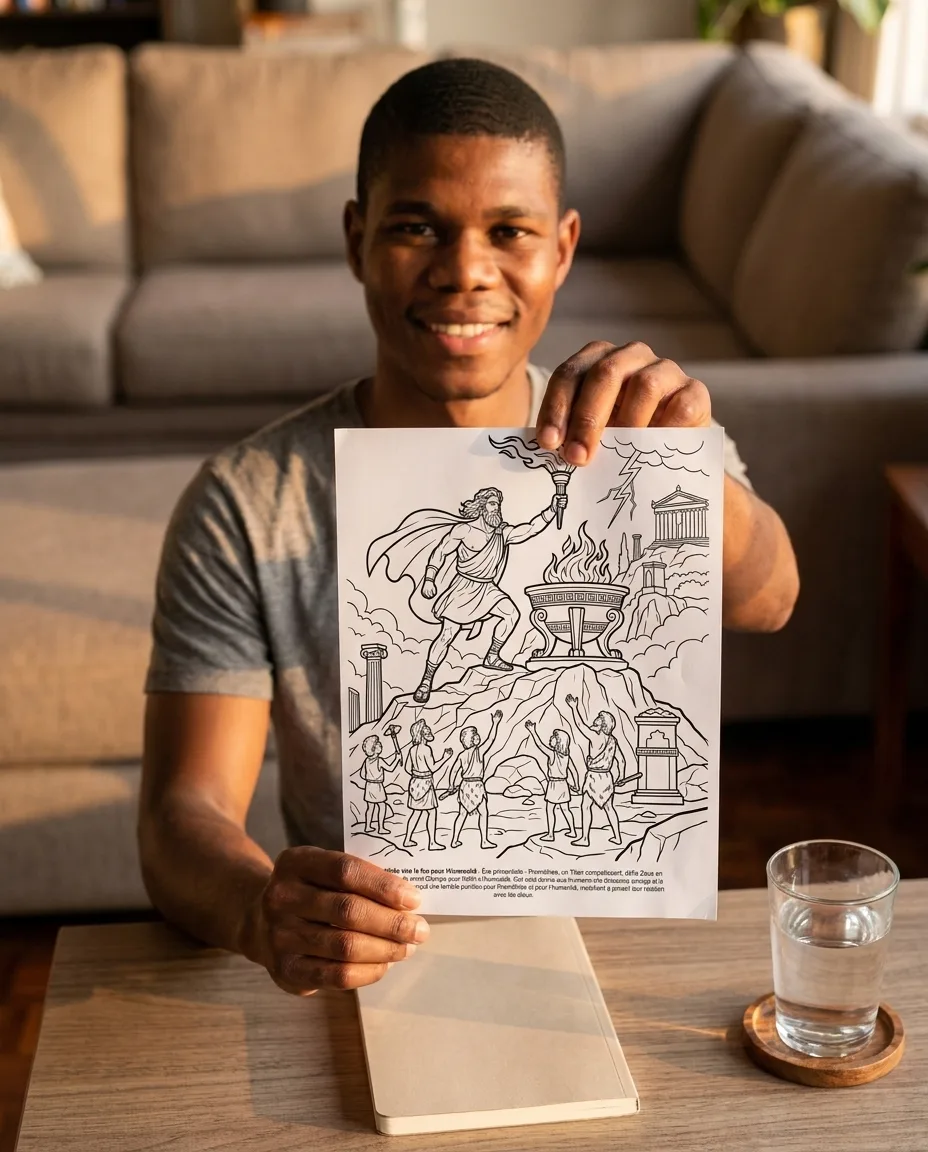
The PDF is the key. Every Motiv Colors book is an instant PDF download, so the same file you print at home also imports straight into Procreate. Color Jet Fighters on the iPad on the train, then print your favorite page and finish it in pencil at home.
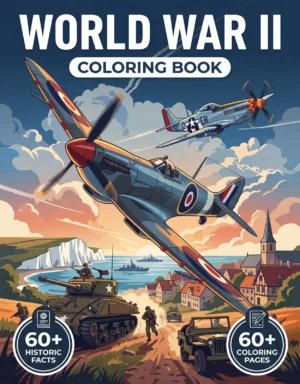
Detailed line art suits the iPad well, because you can zoom into rivets, buttons and brickwork that would be fiddly on paper. Scenes with big skies and smoke, like The Civil War and World War II, show off the soft brushes too.
How do you import a PDF coloring book into Procreate?
In the Procreate Gallery, tap Import, find the PDF in the Files app and tap it. A multi-page PDF imports with each page on its own layer of one canvas, plus a timeline at the bottom of the screen. White page backgrounds import as transparent, so only the line art remains.
That transparent background is good news. You don’t need to set the lines to Multiply or remove white; color placed on a layer underneath shows through cleanly.
One page per layer is less convenient for coloring, though. Keep the imported file as your master. For each page you want to color, swipe left on the master’s thumbnail in the Gallery, tap Duplicate, open the copy and delete every page layer except the one you want.
If the timeline gets in the way, turn off Animation Assist in Actions → Canvas. Check Canvas information in the same menu too: the number of layers you can add depends on canvas size and your iPad’s memory, and a single-page canvas leaves plenty of room.
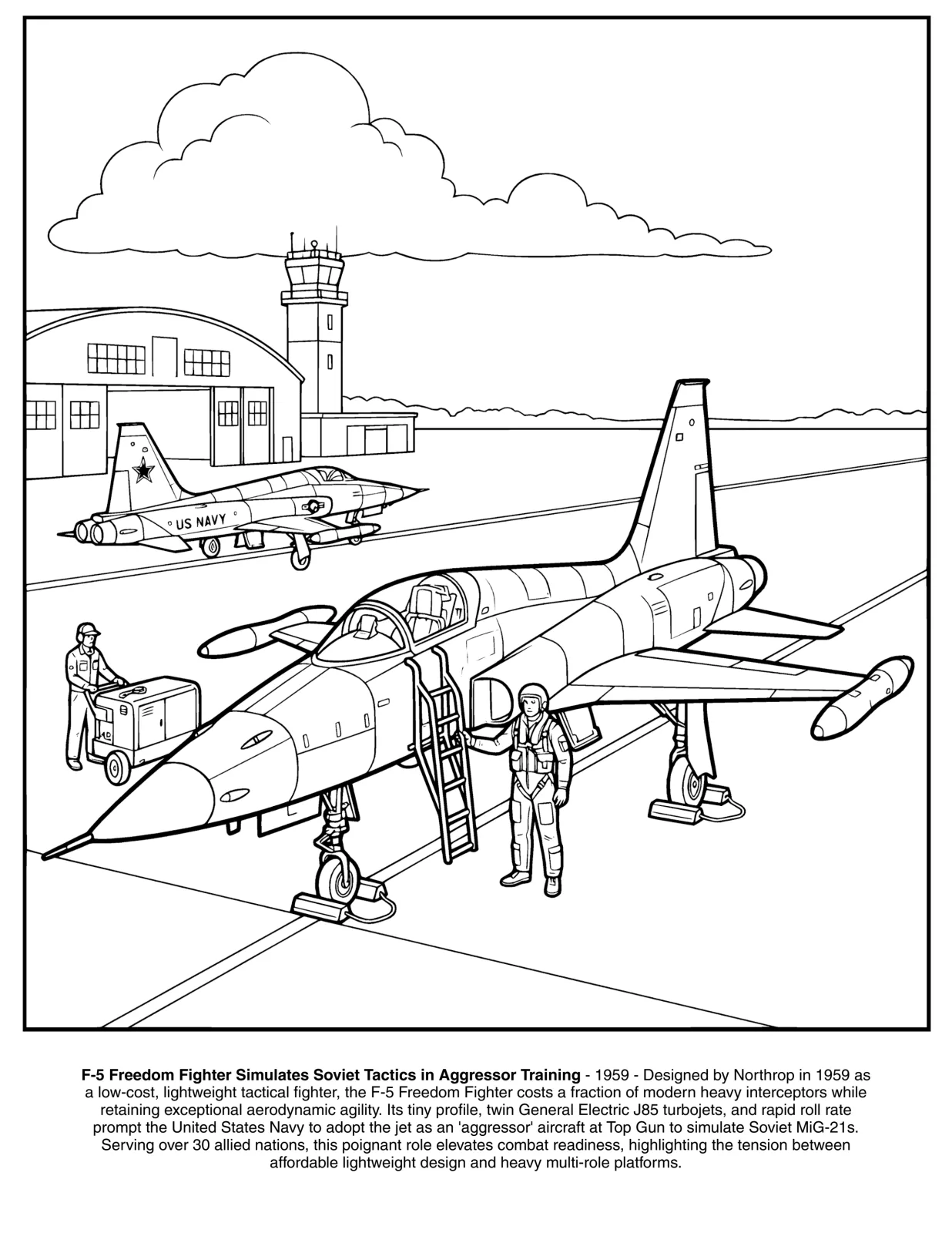
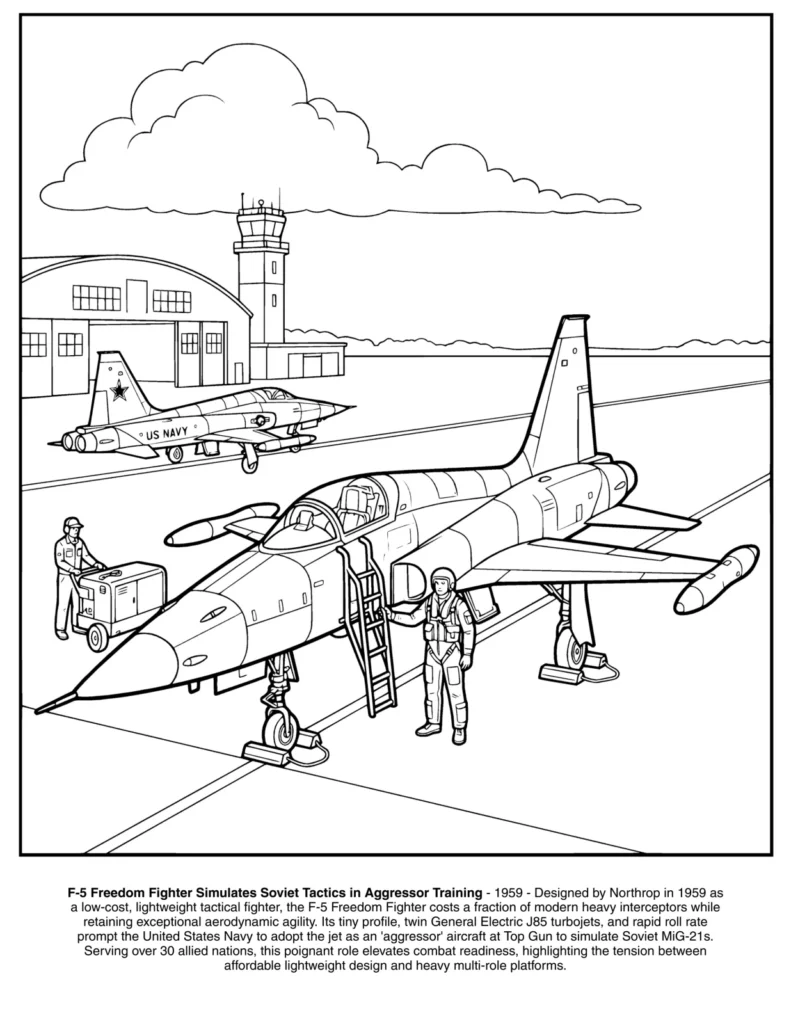
Jet Fighters, page 20: an F-5 on the flight line, crisp lines for ColorDrop fills.
How do you set up layers so color stays inside the lines?
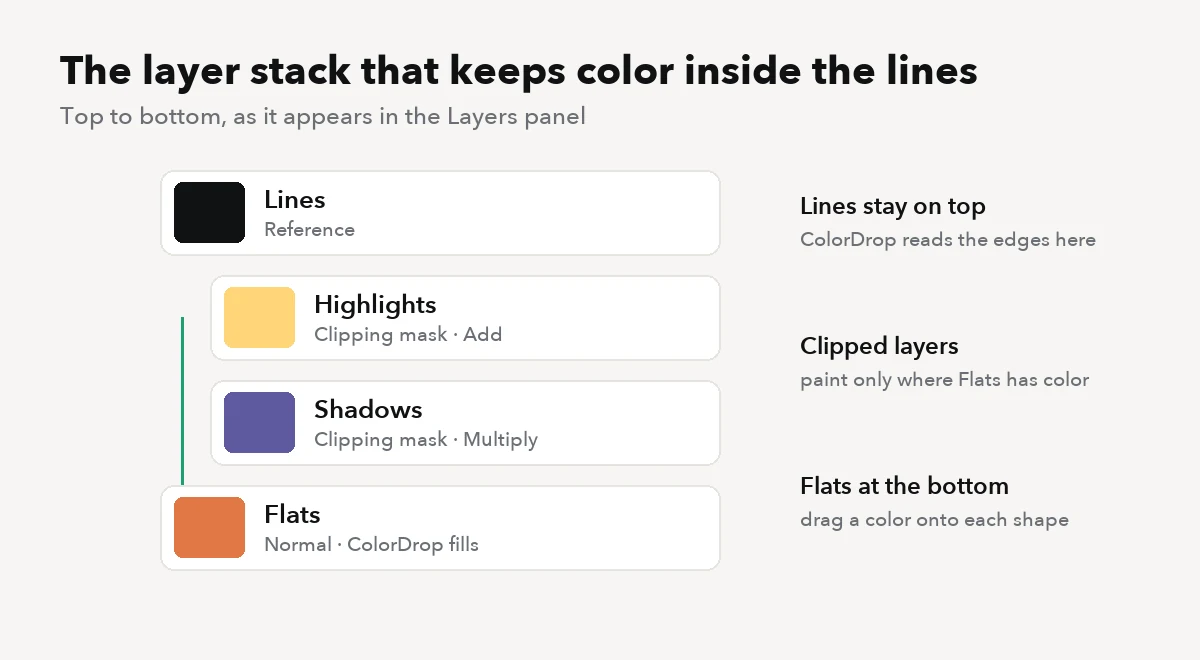
Rename the page layer Lines and set it to Reference in Layer Options. Add a new layer below it called Flats and select it. When you drag a color onto a shape, ColorDrop reads the boundaries from the Reference layer but paints onto Flats, so your fills meet the lines without touching them.
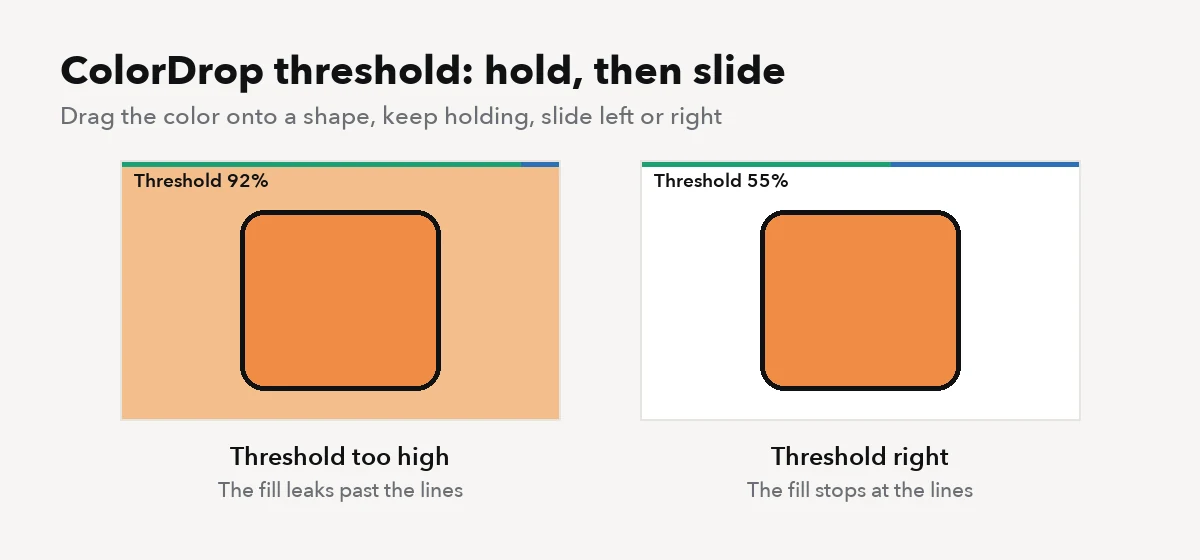
If a fill leaks into the next shape or leaves a pale halo, adjust the threshold. Drag the color onto the shape and hold without releasing; a blue bar appears at the top. Slide your finger left to lower the threshold or right to raise it, then let go. Procreate remembers the setting.
Too high and the fill floods the page; slide left until it stops at the lines.
Layer (top to bottom)
Setting
What it does
Lines
Reference
The printed line art, always on top and untouched
Highlights
Clipping Mask, blend mode Add or Screen
Glints on metal, glass and water
Shadows
Clipping Mask, blend mode Multiply
Shading that never leaves the filled shapes
Flats
Normal
Flat base colors filled with ColorDrop
The four-layer stack, top to bottom, as it appears in the Layers panel.
A clipping mask attaches a layer to the one directly below it, so keep Shadows and Highlights stacked straight above Flats, with Lines at the very top. They only paint where Flats has color. To shade inside a single fill without a new layer, swipe right on Flats with two fingers to turn on Alpha Lock.
Want brown lines instead of black? Alpha Lock the Lines layer, pick a dark sepia, and tap Fill Layer in its options. Warm lines make portraits and landscapes look softer.
Which Procreate brushes feel like real coloring?
The built-in brushes that feel most like real coloring are 6B Pencil and Derwent in the Sketching set for colored pencil texture, Soft Brush in Airbrushing for smooth gradients, and Studio Pen or Technical Pen in Inking for crisp details and highlights. Set your pencil brushes to respond to pressure.
Real tool
Procreate brush
Use it for
Colored pencil
Sketching → 6B Pencil or Derwent
Textured shading, hair, grass
Blending
Airbrushing → Soft Brush, or the Smudge tool
Skies, skin, soft shadows
Marker
Inking → Studio Pen
Flat areas and clean edges
White gel pen
Inking → Technical Pen in white
Final glints and sparkle
Pencil brushes reward light, layered strokes, just like on paper. If you have never shaded by hand, our adult coloring tips and tricks explain light source, layering and finishing in the order that also works on screen.
How do you shade and blend in Procreate?
Shade in Procreate on a clipping-mask layer set to Multiply, using a darker, cooler color than the fill and a Soft Brush at low opacity. Build the shadow in several light passes, then soften the edges with the Smudge tool or a Gaussian Blur from the Adjustments menu.
The logic is the same as with pencils: decide where the light comes from, keep shadows on the opposite side, and save the brightest highlights for last. The difference is the undo button, and that you can lower a layer’s opacity instead of starting over.
Gradients that take an evening with pencils take minutes here, but the choices still matter. Our guides to colored pencil blending techniques and color theory for coloring cover which colors to fade into each other and why shadows look best in blue or violet.
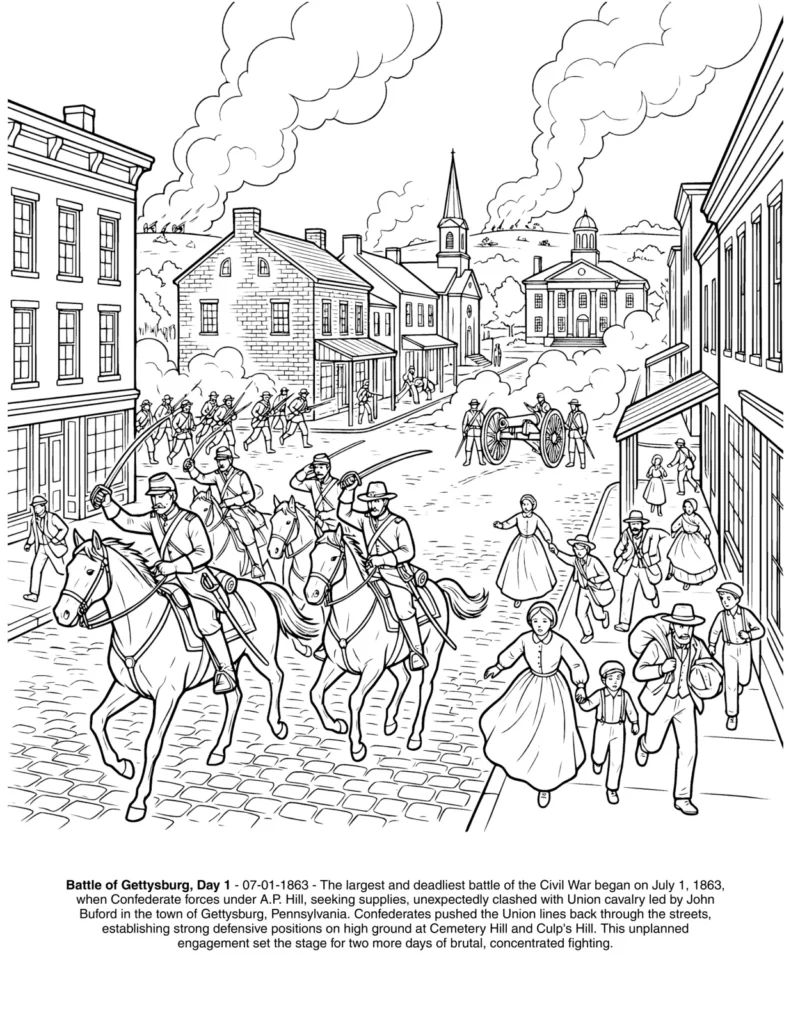
The Civil War, page 20: smoke and street shadows, ideal for soft brushes.
Get 5 illustrations from our bestselling coloring books, for free.
You will receive in your mail box the link to download the 5 illustrations in high quality and PDF format.
How do you export or print a page colored in Procreate?
Export from Actions, then Share. Choose PNG to keep full quality in a flat image, PDF with Good, Better or Best quality for printing, JPEG for a smaller file, or PSD to keep your layers for Photoshop. Share Layers can also export every page layer of a canvas as one multi-page PDF.
To print, use the PNG or PDF at actual size on smooth paper. Our guide on how to print a coloring book PDF at home covers scale, paper weight and fixing cut-off edges.
A neat trick: export your digital version, print it lightly, and add colored pencil texture and gel pen highlights by hand. You get clean digital flats with the warmth of real pencil on top.
Should you color on an iPad or on paper?
Color on an iPad when you want speed, unlimited undo, no supplies and coloring on the move. Color on paper when you want the feel of pencil on tooth, a screen-free evening and an original you can frame. With a PDF coloring book you don’t have to choose, because the same file does both.
The digital version of a page never runs out: duplicate the canvas and try a sunset palette, a night palette and a winter one on the same scene. Then print the winner. For a full comparison of formats, read PDF vs paperback coloring books.
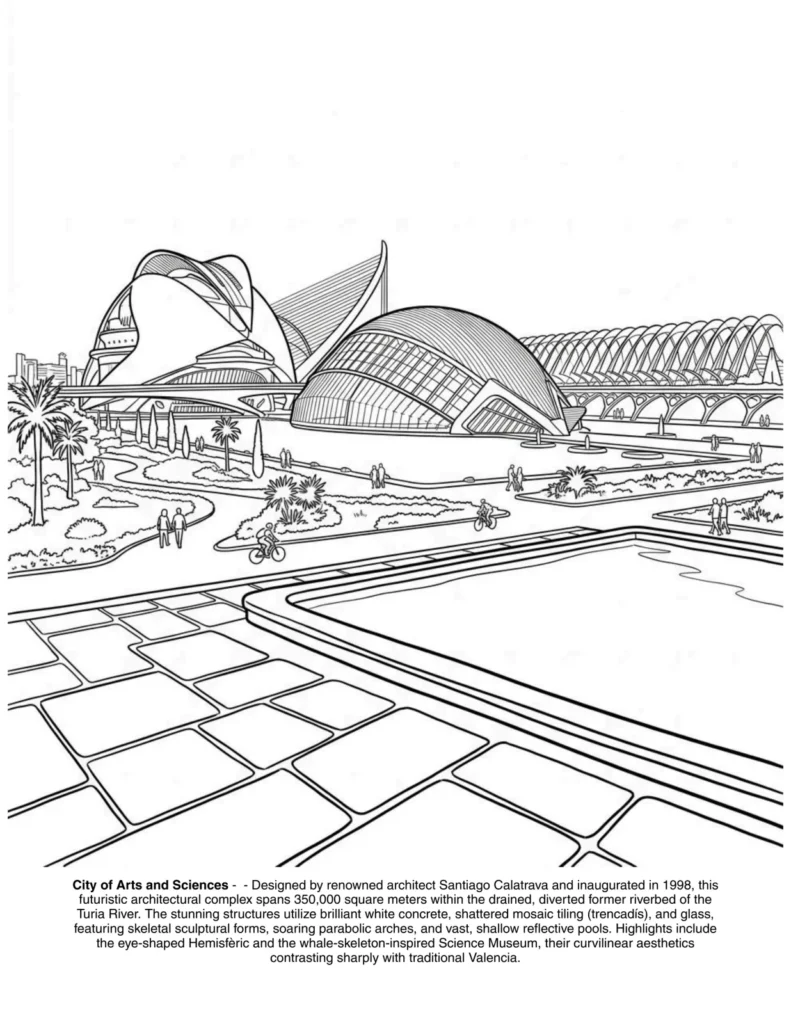
Landscapes of Spain, page 20: smooth curves and water, made for digital gradients.
Coloring in Procreate: your questions answered
Can you import a PDF coloring book into Procreate?
Yes. Tap Import in the Procreate Gallery and choose the PDF in the Files app. A multi-page PDF imports with each page on its own layer of one canvas, and white page backgrounds import as transparent.
How do I stop ColorDrop from filling the whole page?
Make sure the shape is closed and adjust the ColorDrop threshold: drag the color onto the shape, hold, and slide left to lower the threshold. Setting the line art layer to Reference and filling on a separate layer below also keeps fills clean.
Do I need an Apple Pencil to color in Procreate?
Not for fills, which work with a finger and ColorDrop. For shading, blending and pencil textures an Apple Pencil is strongly recommended, because pressure and tilt control how the brushes behave.
What is the best Procreate brush for coloring pages?
Soft Brush in the Airbrushing set is the most useful for smooth shading and skies, and 6B Pencil in the Sketching set gives a colored pencil look. Studio Pen works for flat areas and clean edges.
Can I print a coloring page after coloring it in Procreate?
Yes. Export through Actions, then Share, as PNG for full quality or PDF with Best quality, and print at actual size on smooth paper. You can also print a lightly colored version and finish it by hand.
Your coloring book, now on your iPad
Import the whole PDF once, duplicate a canvas per page, set the lines to Reference, fill below with ColorDrop and shade on clipping masks. Then export, print, or keep it digital.
Pick a book with crisp, detailed line art, import it tonight, and color your first page without a single pencil shaving. The second page will take half the time.